What Is POS Software? A Simple Guide for Businesses
Point of Sale (POS) software is a digital system used by shops, restaurants, clinics, salons, and many other businesses to manage daily transactions and routine operations. In simple terms, it is the software that records what a customer chooses, calculates the total amount, applies taxes if needed, and completes the payment process. But modern POS software does much more than that. It can also help track inventory, manage receipts, organize customer information, and generate reports that make day-to-day operations easier to understand.
In the past, many businesses relied on cash registers and handwritten records. While those methods could work for smaller operations, they often created extra manual work and made it harder to track stock, payments, and trends accurately. POS software changed that by bringing many important tasks into one connected system. Today, it is commonly used not only at checkout counters but also on tablets, mobile devices, and cloud-based platforms.

What POS Software Means
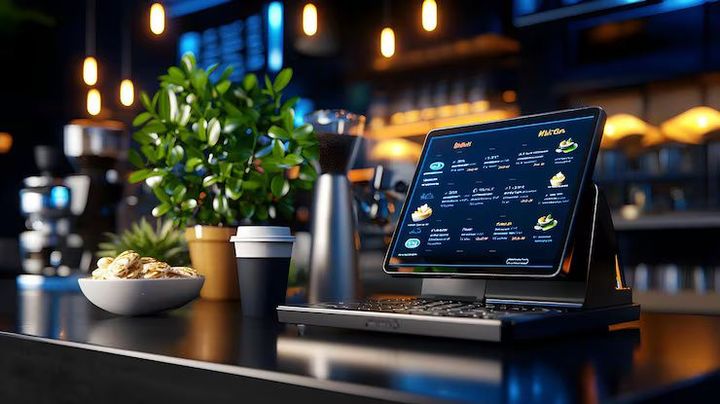
POS stands for “Point of Sale.” This refers to the place where a customer completes a transaction. In a physical store, this may be a checkout counter. In a café, it may be a tablet near the register. In an online environment, the point of sale may be a digital checkout page.
POS software is the part of the system that handles the logic behind the transaction. It records product details, pricing, taxes, payment information, and receipt data. It may also connect with barcode scanners, printers, card machines, and stock records.
A full POS setup usually includes two parts:
- Hardware, such as a screen, barcode scanner, receipt printer, cash drawer, or card terminal
- Software, which manages billing, inventory, reports, user access, and other business functions
The software is the brain of the setup. It takes the information entered during a transaction and turns it into useful records that can support daily management.
How POS Software Works
The basic workflow of POS software is usually easy to follow.
A staff member selects an item, scans a barcode, or enters a product manually. The software pulls the item information from its stored database and displays the price. If multiple items are added, the system calculates the total automatically. Taxes, discounts, and payment details are then processed, and a receipt can be printed or shared digitally.
At the same time, the software may update inventory records, store transaction history, and add the sale to a daily report. This is why POS software is more than just a digital billing tool. It connects several parts of a business process into one system.
Here is a simplified example:
- A customer brings three items to the counter
- The cashier scans each item
- The POS software calculates the total amount
- Payment is completed using cash, card, or another method
- A receipt is generated
- Stock levels are updated automatically
- The transaction appears in the business report
This process helps reduce manual entry and creates a clear record of what happened during the transaction.
Main Features Found in POS Software
Different POS platforms include different tools, but many systems share a common set of features.
Billing and Checkout
This is the core feature. The software processes transactions, calculates totals, applies taxes, and records payment details.
Inventory Tracking
Many POS systems keep track of stock levels as items are added or removed. This can help a business know when a product is running low or when certain items move faster than expected.
Receipt Management
Receipts can often be printed, emailed, or stored digitally. This creates a record for both the customer and the business.
Reporting and Analytics
POS software can generate reports about daily transactions, product movement, peak business hours, and payment trends. These reports can help owners understand what is happening in the business without going through manual paperwork.
Customer Records
Some systems allow businesses to keep customer names, contact details, order history, or loyalty information in one place.
Employee Access and Tracking
In businesses with multiple staff members, POS software may allow different login roles and record who handled each transaction.
Multi-Location Support
For businesses with more than one branch, some POS systems can combine data from several locations into one dashboard.
Where POS Software Is Commonly Used
POS software is not limited to large retail stores. It is used in many everyday settings.
Retail Shops
Clothing stores, grocery shops, electronics outlets, and gift stores often use POS systems to manage product scanning, payments, and stock records.
Restaurants and Cafés
Food businesses may use POS software to manage table orders, kitchen tickets, bills, and payment processing.
Salons and Clinics
Appointment-based businesses often use POS tools to track payments, customer history, and product usage.
Pharmacies
POS software can help pharmacies record transactions, track medicine inventory, and organize billing records.
Pop-Up Stores and Small Businesses
Tablet-based or mobile POS systems are often useful for smaller setups that need flexibility and portability.
Why Businesses Use POS Software
The main reason businesses use POS software is to make daily operations more organized. Instead of relying on separate notebooks, spreadsheets, and calculators, one system can handle several tasks together.
POS software can help reduce errors in pricing and billing because calculations are done automatically. It can also save time when checking stock, preparing daily summaries, or reviewing transaction history.
For managers and owners, one of the biggest advantages is visibility. A POS report can show which products are moving quickly, what times of day are busiest, and how much revenue came in during a certain period. This information can support better planning and decision-making.
For staff, POS software can simplify checkout steps and reduce repetitive manual work. For customers, it may lead to a faster and clearer payment experience.
Cloud-Based vs Traditional POS Software
POS systems can generally be grouped into two broad models: traditional and cloud-based.
Traditional POS
Traditional systems are often installed on local computers or in-store terminals. Data may be stored on the business’s own system. This setup can work well for businesses that prefer local control.
Cloud-Based POS
Cloud-based POS software stores data online, allowing access from different devices and locations. This can be useful for businesses that want to monitor activity remotely or connect multiple branches.
Here is a simple comparison:
| Type | Typical Setup | Common Benefit |
|---|---|---|
| Traditional POS | Installed on the local device or server | Local control of records |
| Cloud-Based POS | Accessed through an internet-connected system | Easier remote access and updates |
The right choice depends on business size, daily workflow, internet reliability, and reporting needs.
Common Challenges with POS Software
Although POS software can improve efficiency, it is not without challenges.
One common issue is setup complexity. A business may need time to enter product data, configure taxes, set staff permissions, and connect devices properly. Training is also important, especially if employees are used to manual billing methods.
Another challenge is data accuracy. If inventory numbers, pricing, or product names are entered incorrectly, the system may produce incorrect reports. This means that even good software depends on careful setup and regular maintenance.
For cloud-based systems, internet interruptions may affect some features if offline support is limited. Businesses also need to think about data security, user access control, and software updates.
These challenges do not mean POS software is ineffective. They simply show that it works best when paired with clear processes and regular review.
What to Consider Before Choosing POS Software
Before selecting a POS system, a business should think about its daily needs rather than focusing only on brand names or extra features.
Helpful questions include:
- How many products or transactions need to be managed?
- Will the system be used in one location or several?
- Does the business need inventory tracking?
- Will staff require different login permissions?
- Is mobile access important?
- Does the business need restaurant-style ordering, retail billing, or appointment scheduling?
- How easy is the reporting interface for non-technical users?
It is also useful to check whether the software works with existing hardware or requires a completely new setup.
The Future of POS Software
POS software continues to evolve as businesses adopt more digital tools. Newer systems may include AI-based forecasting, stronger customer analytics, contactless payment support, and deeper connections with accounting and e-commerce platforms.
At the same time, the core purpose remains the same: to record transactions accurately and make business operations easier to manage. As customer expectations change and businesses handle more data, POS software is likely to remain an important part of daily operations across many industries.
Conclusion
POS software is much more than a digital cash register. It is a business tool that connects transactions, inventory, reporting, and daily workflow into one system. For shops, restaurants, clinics, and other businesses, it can reduce manual work, improve record-keeping, and provide a clearer view of day-to-day activity.
Understanding how POS software works helps business owners, employees, and even customers make sense of the systems they interact with every day. While the exact features vary from one platform to another, the overall goal is simple: to make transactions smoother and business records easier to manage.